Sharing private Github docs without making people log in
Here is the problem.
I work on a private repository where most of our documentation lives. Markdown files, architecture decisions, specs — all committed directly into the repo. This is by design. When you are doing AI-assisted development, the most natural place for your agent to write documentation is directly into the repository.
Another usecase is me using my Hermes agent to directly create stock research document and push directly into my Github repository. It does a great job creating structured docs inside folders with markdown. The workflow is clean, easy to managed, and is on the web for me read it from anywhere.
The only weakness is… I need to login. And to share those docs? Not so much.
The pain point
Every time I needed to share documentation with my colleague (PM, PO, or BA) who don’t have access to the Org (due to license), I hit the same wall. The docs are in a private repo. They do not have access to the codebase, nor should they need to. But they need to read the docs.
My options were:
- Copy-paste the markdown into Slack or a Google Doc — killing all formatting, losing Mermaid diagrams, and making it impossible to link back.
- Ask them to create a GitHub account and grant access — way too much friction for someone who just wants to read a document.
- None of these were sustainable.
The other angle is this: as AI documentation tooling matures, the native platform to write is directly to GitHub. Whether it is specs, design docs, or ADRs, agents generate markdown files that live in the repo. The output is already there. I just lacked the ability to view and share it cleanly without requiring everyone to be logged in.
What I built
I built GitHub Markdown Viewer — a web app that lets you view GitHub-hosted markdown files with proper rendering, and share private repo content with people who do not have GitHub access.
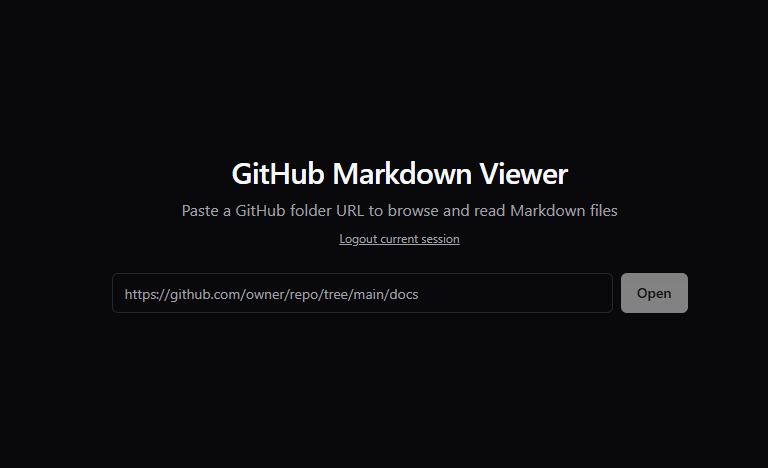
The flow is simple. Paste a GitHub folder URL, authenticate if needed, and the app gives you a reader experience with a file tree sidebar for navigation.
Key features
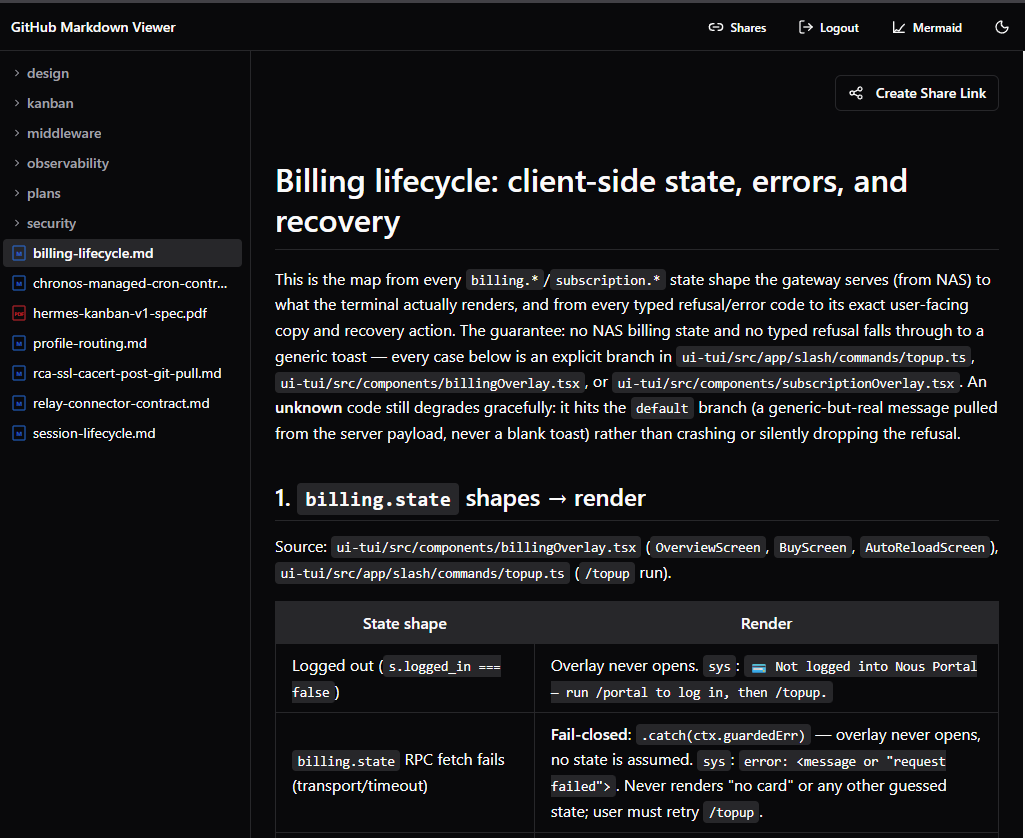
Full GitHub Flavored Markdown rendering
Tables, task lists, syntax highlighting, frontmatter, all of it. GitHub’s own preview is decent, but this app renders everything in a clean, focused reading environment without the GitHub chrome around it.
Mermaid diagram support
This was non-negotiable for me. Half of my architecture docs have Mermaid diagrams, and I wanted them to render properly. The viewer supports Mermaid out of the box, with a toggle to disable it if needed.
Private repo access via OAuth or PAT
You authenticate once using either GitHub App OAuth or a Personal Access Token. After that, you can browse any repo your account has access to. The backend proxies all requests through the GitHub API so your token never touches the frontend.
Passphrase-protected share links
This is the feature that solved my original problem. When you are viewing a private repo folder, you can create a share link that is:
- Scoped to a specific folder (not the whole repo)
- Time-limited (1 to 720 hours)
- Encrypted with a passphrase that only you and the recipient know
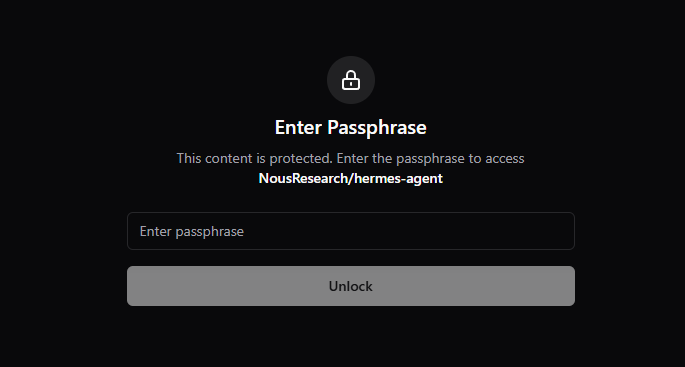
The recipient clicks the link, enters the passphrase, and gets read access to that specific folder. No GitHub account required. No repo access needed. The link expires on its own.
Under the hood, it creates a scoped session on the backend that only allows access to the specific owner/repo/branch/path combination you chose. The passphrase encryption happens client-side, so even if someone intercepts the link, they cannot access the content without the passphrase.
Architecture
The stack is intentionally simple:
- Frontend: React + Vite + TypeScript
- Backend: Plain PHP with no framework
PHP? but hear me out. I deploy this on shared hosting with zero infrastructure overhead. No containers, no serverless functions, no database, no build pipelines for the backend. The PHP handles OAuth, session management, and GitHub API proxying. That is it.
The frontend is a standard SPA deployed as static files alongside the backend. A GitHub Actions workflow builds and pushes to a deploy branch ready for hosting.
Security was a priority. The backend acts as a proxy — authentication tokens are stored server-side and never reach the browser. Session cookies are httpOnly, Secure, and SameSite. Session identifiers are SHA-256 hashed on disk, and all session data is encrypted at rest using AES-256-GCM. Share links add another layer: the scoped token is encrypted client-side with the sender’s chosen passphrase before being embedded into the URL, so even if someone intercepts the link, they cannot decrypt it without the passphrase. CSRF protection, CORS whitelisting, and rate limiting on authentication endpoints round it off.
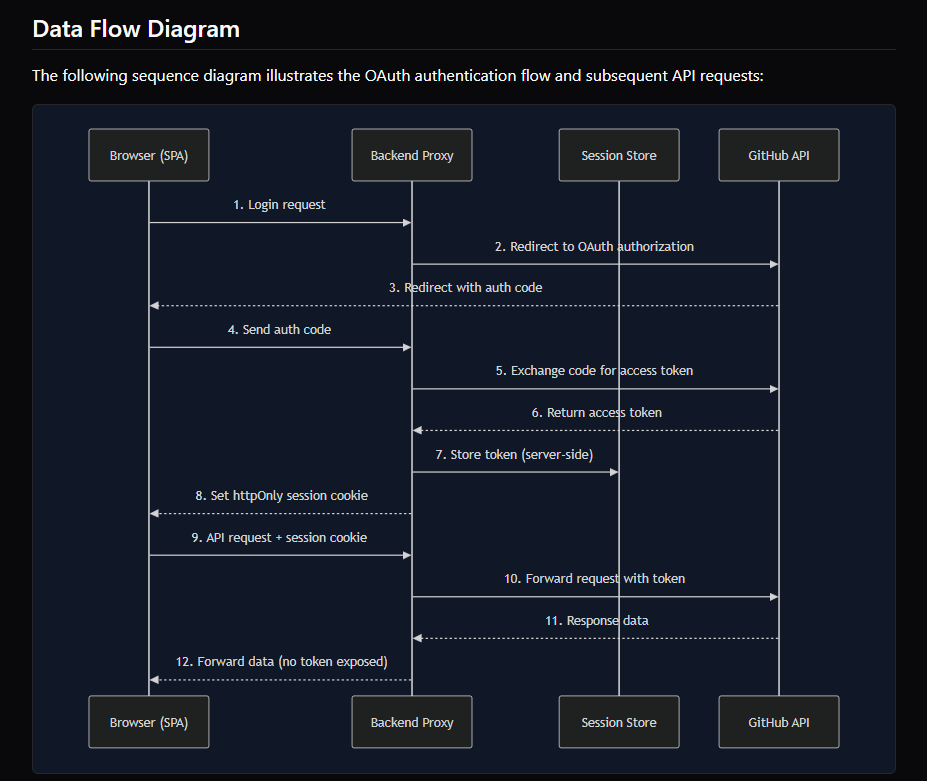
The whole point is that a non-technical person can click a share link safely, and the system never leaks anything it should not.
Who is this for
Anyone who commits documentation to GitHub and needs to share it with people who do not have (or should not have) direct repo access. Product owners, managers, stakeholders, clients — anyone who needs to read your docs without the friction of GitHub authentication.
Also, if you are building with AI agents that output markdown directly into repos, this gives you a proper viewer to consume that output from anywhere.
That is the gist. Here is the link for a demo. The project is open source on GitHub if you want to try it or self-host it. The core problem — sharing private markdown docs without making people log in — that is solved.