
Revisiting an old app – owl alert
Three years ago, I built an app using Purity dashboard to bootstrap my Laravel/React project. So happen, this is build on top of React 17 and Chakra UI v1.
The app is called Owl Alert which was for me to build my own technical alert indicators to get notified when a technical condition is met. Was just me being frugal and don’t want to pay for service like Trading view. Anyway, this app was mean to complement my investment journey and also building some technical product for fun.
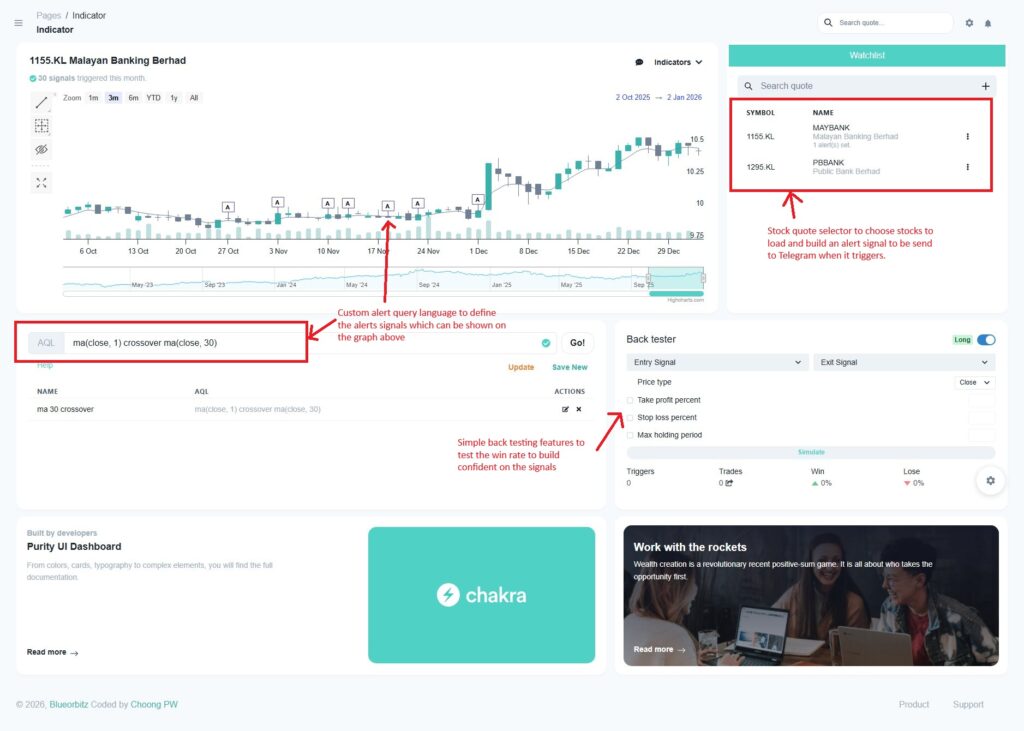
With the advancement of assisted and agentic coding maturing, I figured that leverage this to build more things quicker (it was one of the bottleneck that I had previously, lack of time to build this challenging product).
So, I decided to get back to it. Running it as where it was left off three years ago and it still works. Just that, the version is way outdated with loads of vulnerabilities for me to fix.
# Yarn audit
178 vulnerabilities found - Packages audited: 2271
Severity: 24 Low | 79 Moderate | 59 High | 16 Critical
Done in 2.53s.

# Composer audit
Package fruitcake/laravel-cors is abandoned, you should avoid using it. No replacement was suggested.
Package swiftmailer/swiftmailer is abandoned, you should avoid using it. Use symfony/mailer instead.
Found 8 security vulnerability advisories affecting 5 packages:
...
Is normal and expected, the major upgrade that it need is React, Chakra and Laravel version. Picking up from where I left off, this is what I need to do, before I add more features — maybe with AI capabilities — into the product which is to bring the app up to date.
I wanted to pick up where I left off, but also enhance the app with AI capabilities. That’s where the real story began: before adding anything new, I first had to bring the app up to date.
React 17 → 19
I began with a spec-driven approach using Kiro AI to plan the upgrade from React 17 to 19. At first, I didn’t realize that Chakra UI would also need a major version bump. The initial plan looked solid — requirements were clear, tasks were well-defined, and I thought this would be straightforward.
I was wrong.
Once I managed to run the app, the UI broke completely. Buttons didn’t render, layouts collapsed, and the console was screaming errors I didn’t recognize. My first instinct was to “vibe” my way through with AI — prompting and tweaking fixes one by one — but it quickly spiraled. The model got stuck in loops, recommending changes that didn’t help. Frustrated, I shelved the attempt.
Eventually, I knew it is not working any more, I decided to drop everything in react-19-upgrade branch and start fresh.
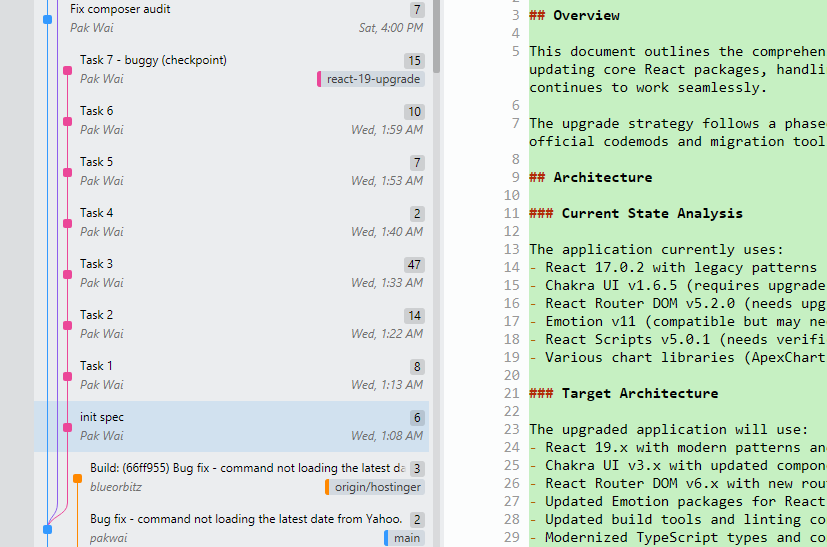
Switching Strategy
This time, with a clearer understanding, I am determine to try again with a rebuild plan that has a cleaner setup.
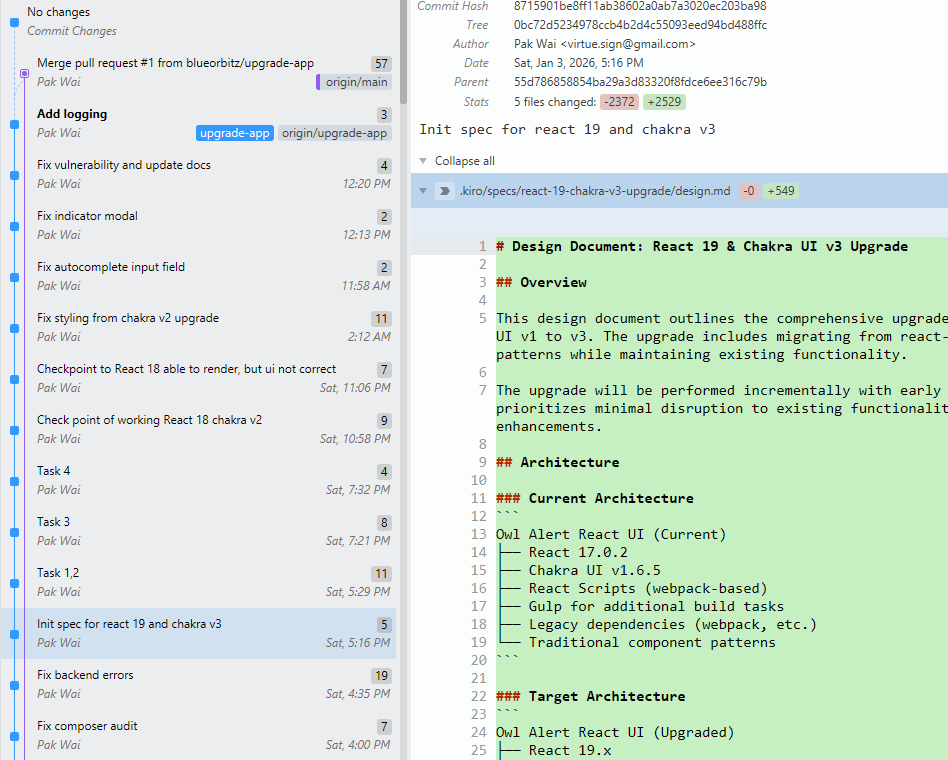
Fix up the backend first with Laravel 8 to 11
Not much breaking changes here based on the setup up, except for the fruitcake/laravel-cors.
Luckily, with the help of AI. I don’t have to be very detailed with this and let AI to fix the cors issues — both front and backend including the driver from jwt back to sanctum to use native Laravel feature. Great start to clean up all the composer vulnerabilities.
Fix up the frontend React and Chakra
First by dropping Create React App and moving to Vite, which React’s official docs now recommend. Since is a more complex tasks, I opted for spec-driven development (SDD). The transition went surprisingly smoothly, thanks to Kiro’s SDD support.
But then came the real upgrade challenge: React 19 broke almost everything. Following AI’s suggestion, I decided to upgrade to React 18 first, then 19. The middle ground worked better — the app finally compiled — but I was still staring at an empty screen.
This time, I ditched blind reliance on the AI plan. Instead, I began debugging manually: inspecting the console, reading Chakra’s migration docs, and feeding the AI focused prompts with context.
That changed everything.
Debugging with AI
As I iterated, I noticed an interesting pattern: AI often missed small but critical details — like required props or configuration tweaks unique to my custom Chakra setup. Once I spotted them myself and pointed them out, the model became incredibly effective at writing precise fixes.

One section that really took a toll on me and my token usage is the page render weirdly. Giving direct error never really helped much until I read the document myself to fix it. Never knew just the resetCSS can cause so much problem.
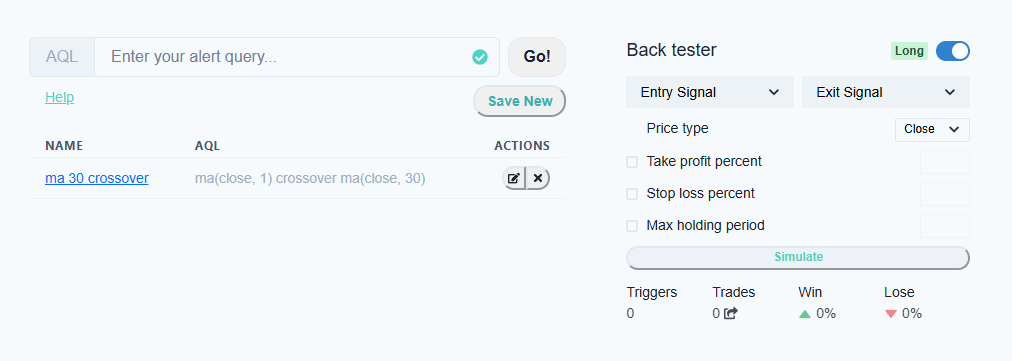
resetCSS(false)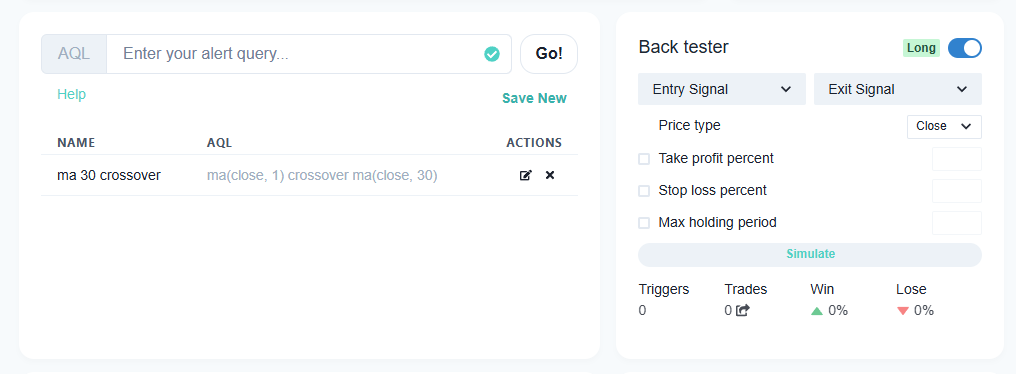
resetCSS(true)The process turned into a rhythm:
- Debug visually and through logs.
- Research the relevant documentation.
- Feed that knowledge into AI.
- Test, observe, and repeat.
That “vibe coding” loop finally gave me control. Gradually, the UI returned to life. Even though some components looked off initially, I was able to refine them systematically.
From near 200 vulnerabilities to 0
With the upgrades complete, I asked AI to help run dependency audits using Yarn and Composer. The results were impressive — over 200 vulnerabilities dropped to under 10, and after a few final patches, the count hit zero. The app was not only modern again, but also secure and future-proof.
It removed all my previous vulnerabilities patch with a cleaner resolution for me to continue developing.
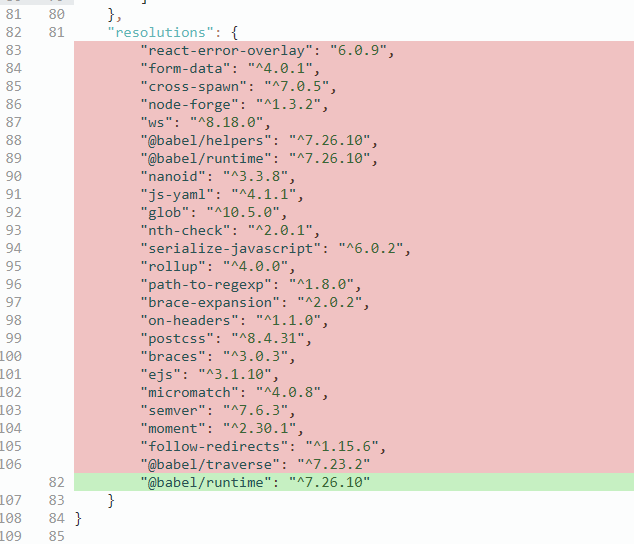
Since all the vulnerabilities has been resolve, I decided to stop here with react 18 and chakra ui v2. Total time spend for everything, less than half a day of work. Not bad compare with having to do it without AI help.
Lessons Learned
- Be patient. Rushing or skipping steps wastes more time and tokens in the long run.
- Understand your tools. Even with spec-driven AI, you must know what’s being changed and why.
- Use AI for dependency management. This is where it shines — tracing vulnerabilities and resolving version conflicts with precision.
- Master the “vibe” flow. Know when to stop, reset context, or start fresh to avoid confusion.
- Work incrementally. Test small chunks, provide feedback, and build confidently step by step.
- Commit often. Work on branches, so it’s easy to revert and restart when needed.
Closing Thoughts
Upgrading an old project with AI isn’t about letting the model take over — it’s about collaboration. The AI can amplify your workflow, but your own understanding of the stack determines how effective it becomes.
The outcome of this experiment was more than just a clean upgrade. It reminded me why I built this app in the first place: to learn, to experiment, and to keep improving — with AI now as a coding partner in that journey.